How Accurate Is AI Photo Calorie Counting? An Honest Look (2026)
10 min read
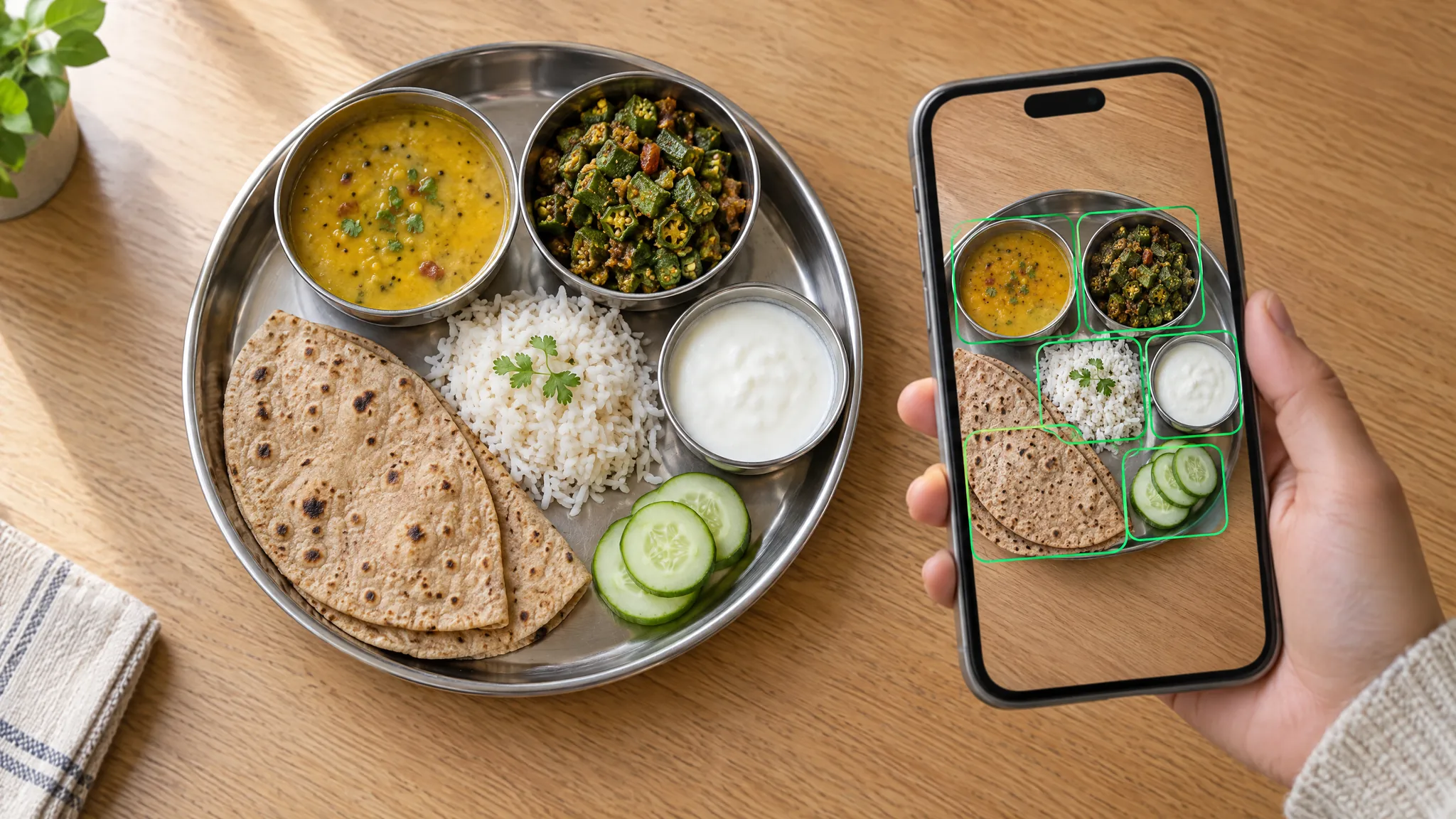
Point your phone at a plate and, a few seconds later, an app tells you it's 640 calories with 22 g of protein. It feels precise. It isn't, quite, and it helps to know by how much before you trust it with a goal.
The short version: AI photo estimates are good enough to show you what and roughly how much you eat, and not good enough to count every calorie to the gram. Most of the error comes from things a camera can't see, such as oil, ghee, cream and how deep the bowl is. The good news is that you can fix most of it with a few seconds of extra input.
This post covers what the research says, where photo estimates hold up, where they miss, and how to get closer numbers, with how each step works in Vitality.
The short answer: what the research says
Two studies give a useful sense of scale.
AI from a photo. A 2025 study in Current Developments in Nutrition gave 52 photos of weighed food to three AI chatbots and compared their estimates with the real values. For calories, GPT-4o and Claude 3.5 Sonnet were off by an average of 35.8% per photo, and Gemini 1.5 Pro by 64.2%. All three tended to underestimate more as portions got bigger. The authors concluded that the two better models were about as accurate as traditional self-reported food records, without the effort, but "not yet suitable for precise dietary assessment".
People guessing. A 2013 study in the BMJ asked nearly 3,400 people at fast food restaurants how many calories their meal had. Adults' meals averaged 836 calories, and they underestimated them by 175 calories on average. The bigger the meal, the bigger the miss.
Three things follow from this:
- A single photo estimate can easily be 20 to 35% off. That's roughly 120 to 210 calories on a 600-calorie plate.
- It's not worse than guessing yourself, and it's far less effort than weighing everything.
- Errors partly cancel over a week, but only the random ones. If the app slightly over-guesses your rice one day and under-guesses it the next, your weekly total is close. If you never mention the ghee in your dal, every entry is low by the same amount, and that doesn't cancel.
The models in that study have since been replaced by newer ones, which may do better. But most of the problems below haven't gone away, because they're about what's in the photo, not how clever the model is.
How a photo becomes a calorie number
Every photo calorie counter does three jobs, and each one can go wrong:
- Name each food. Is that paneer or tofu? Dal tadka or dal makhani?
- Estimate how much there is. In grams, judged against the plate, bowl or hand in the frame.
- Work out the nutrition. Calories, protein, carbs, fat and fibre per gram for that food, times the grams.
For common dishes, step 1 is usually the easy part, and step 3 is mostly a lookup. Step 2, the amount, is where most of the error lives, along with anything cooked into the food that the camera can't see.
In Vitality, one AI model reads the photo and writes down each dish with its estimated grams, counting cooking fat, gravies and sauces as part of the dish they're in. A second AI model then works out the nutrition for each item, and packaged products get a web search so it can use the published values for that product. You see every item with its grams before anything is saved.
Where photo estimates hold up
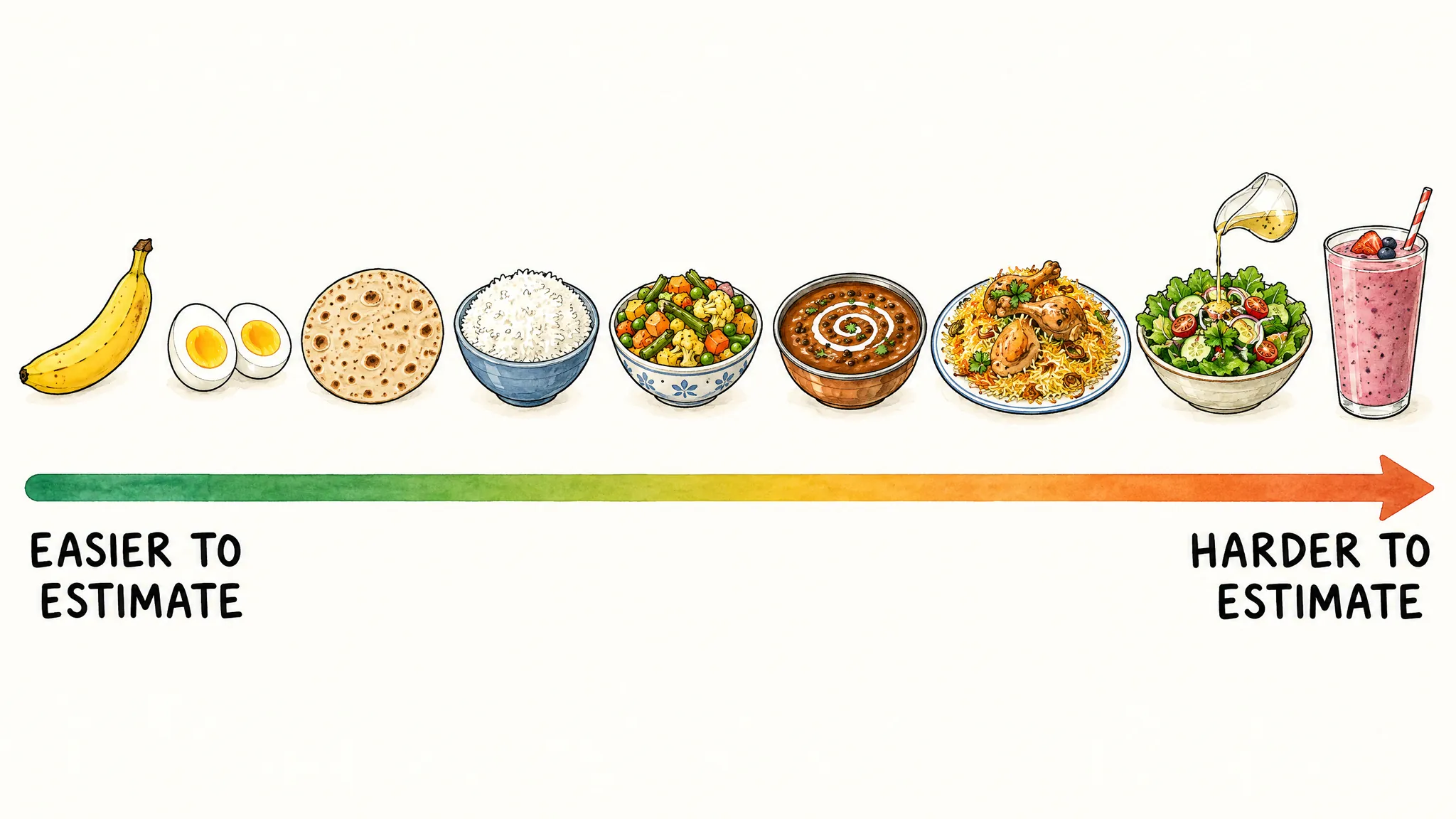
Photo estimates are at their best when everything that matters is visible and the food comes in familiar sizes:
- Whole, countable foods: a banana, an apple, two boiled eggs, a slice of bread, a roti.
- Standard portions: a katori of curd, a glass of milk, a can of soft drink, a single-serve pack.
- Plates with separate items: rice, dal and sabzi in their own bowls are much easier than the same food mixed together.
- Plain foods: steamed rice, grilled chicken or fruit, where the recipe doesn't change much from one kitchen to the next.
Where photo estimates miss
1. Cooking oil, ghee and butter
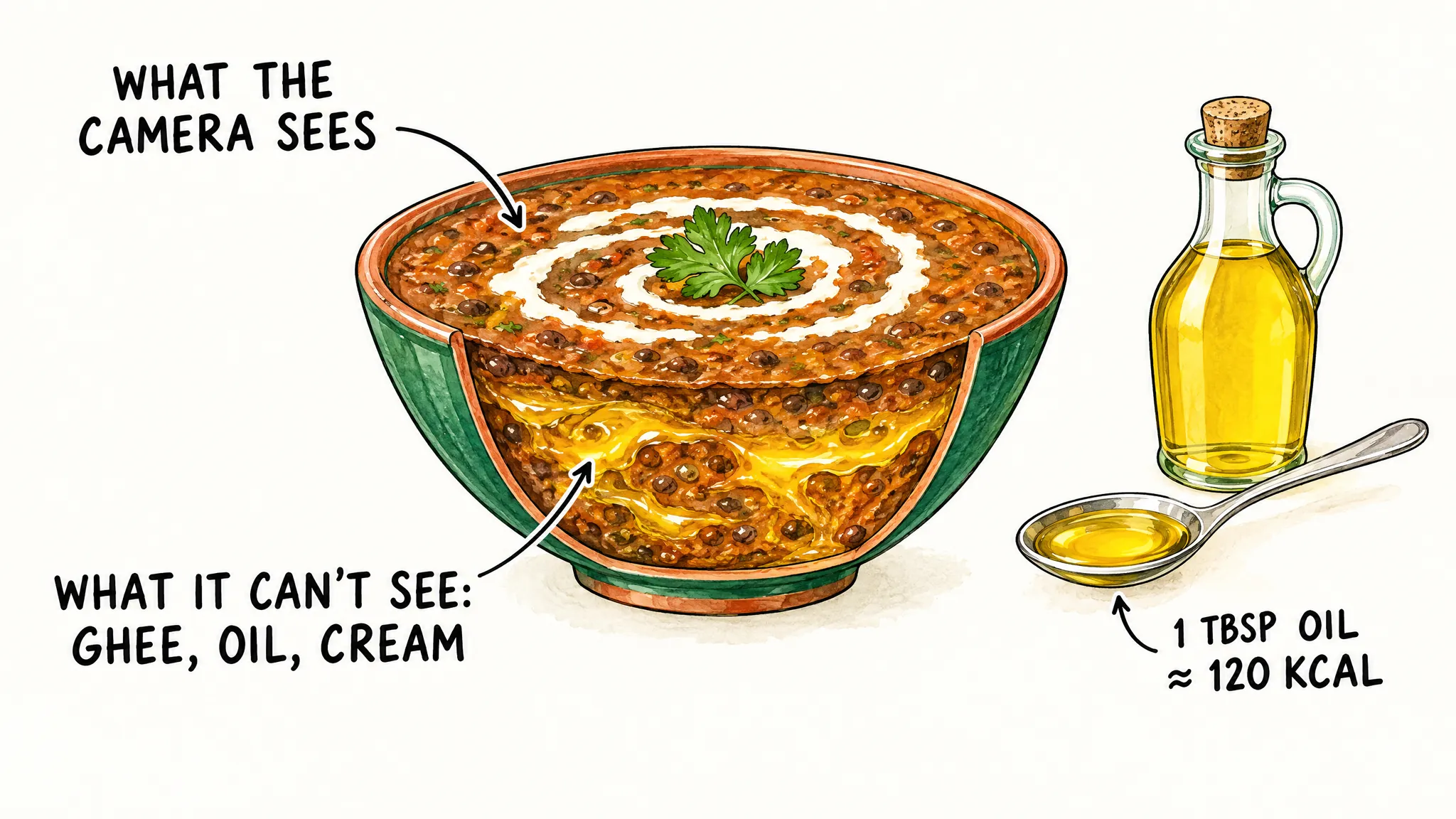
This is the big one. Fat has 9 calories per gram, and a tablespoon of oil weighs about 13 to 14 g, so one tablespoon of oil or ghee adds about 120 calories. A bhindi sabzi cooked in one teaspoon of oil and one cooked in three tablespoons look almost the same in a photo, but the second has over 300 calories more.
The same goes for the ghee in a tadka, the butter on a paratha and the oil a puri soaks up while frying. The AI has to assume a typical recipe, and your kitchen, or the restaurant's, may be well above or below it.
2. Sauces, gravies and dressings
Cream in a makhani gravy, cashew paste in a korma, mayonnaise in a sandwich and dressing on a salad are calorie-dense and mostly hidden. A "healthy" salad with a few spoons of dressing can have more calories than the roti you skipped for it.
Drinks are the same problem in liquid form. A photo of chai, a smoothie or a milkshake can't show the sugar, the full-fat milk or the scoop of peanut butter blended into it.
3. Mixed dishes
Biryani, pulao, khichdi, pasta and poha mix several foods in proportions you can't see from the top. A plate of biryani might be mostly rice or have a lot of meat and fried onions underneath, and the layers that matter are the ones hidden from the camera.
4. Portion size and depth
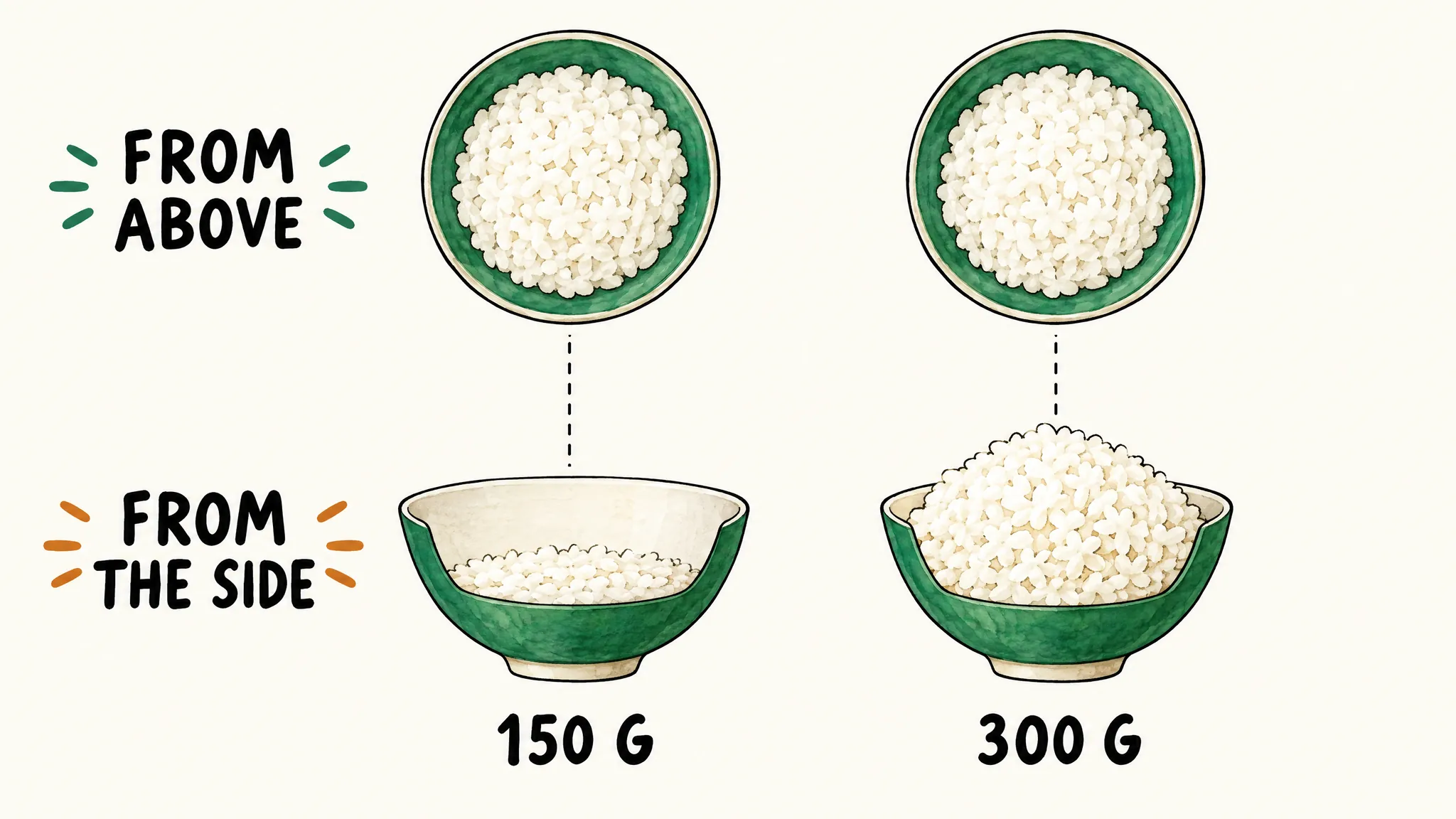
A photo is flat. From above, a shallow bowl of rice and a deep, heaped one can look exactly the same, though one holds twice as much. Plate size is hard to judge too, unless there's something familiar in the frame. That's also why the study above found errors growing with portion size: big portions are where depth matters most.
5. Look-alike foods
Some foods look the same and aren't: paneer and tofu, full-fat and low-fat curd, regular and diet cola, white and brown rice, sweetened and unsweetened drinks. A photo alone can't always tell them apart.
How to make photo estimates more accurate
You don't need to weigh everything. A few habits close most of the gap:
- Add a short note with the photo. In Vitality, the photo screen has an optional "Describe your meal" field, and whatever you write goes to the AI along with the photo. Use it for what the camera can't see: "cooked in 1 tbsp ghee", "restaurant", "2 tsp sugar in the chai", "I ate half".
- Shoot from an angle, in good light. Hold the phone at about 45 degrees so the depth of bowls shows, and get the whole plate in the frame. Daylight beats a dim restaurant.
- Keep things separate and in view. One plate per photo, with items not piled on top of each other. A spoon or fork beside the plate gives a sense of scale.
- Take the photo before you eat. Half-eaten plates are much harder to judge.
- Check the grams before you save. Vitality lists each food it found with its grams. Change any amount that looks off, by typing it or nudging it up or down, and remove anything it got wrong. Calories and macros update as you change the grams.
- Weigh your staples once. Put your usual katori of rice or dal on a kitchen scale a couple of times. Once you know what "my katori" weighs, you'll spot a bad estimate straight away.
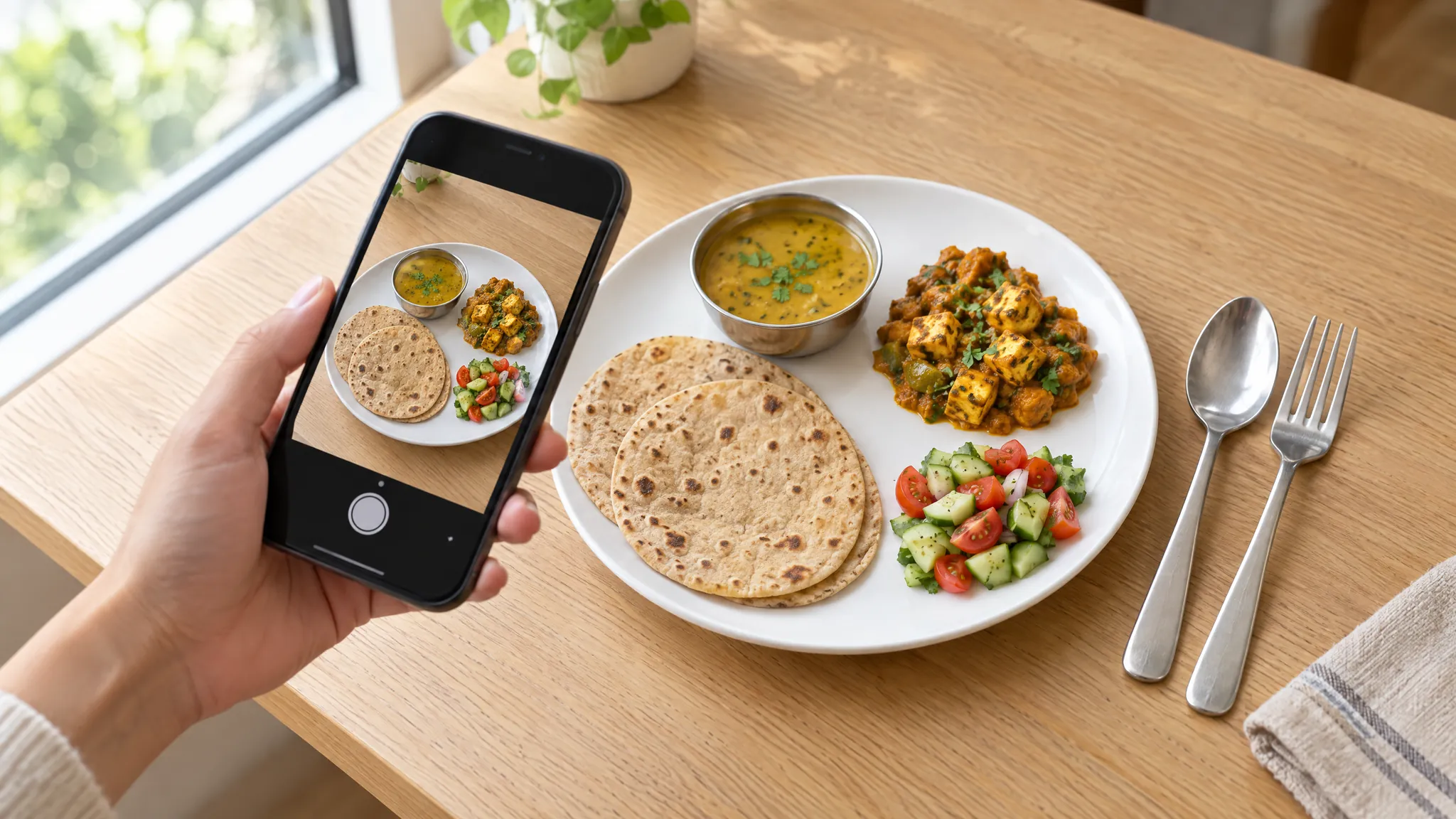
For many home-cooked meals, typing what you ate is as fast as a photo and more accurate, because you can include the things a camera misses: "2 roti, 1 katori dal with 1 tsp ghee, bhindi sabzi". Typing and voice logging are free in Vitality, with a fair-use limit of 50 AI food searches a day.
Packaged food: scan the barcode or the label instead
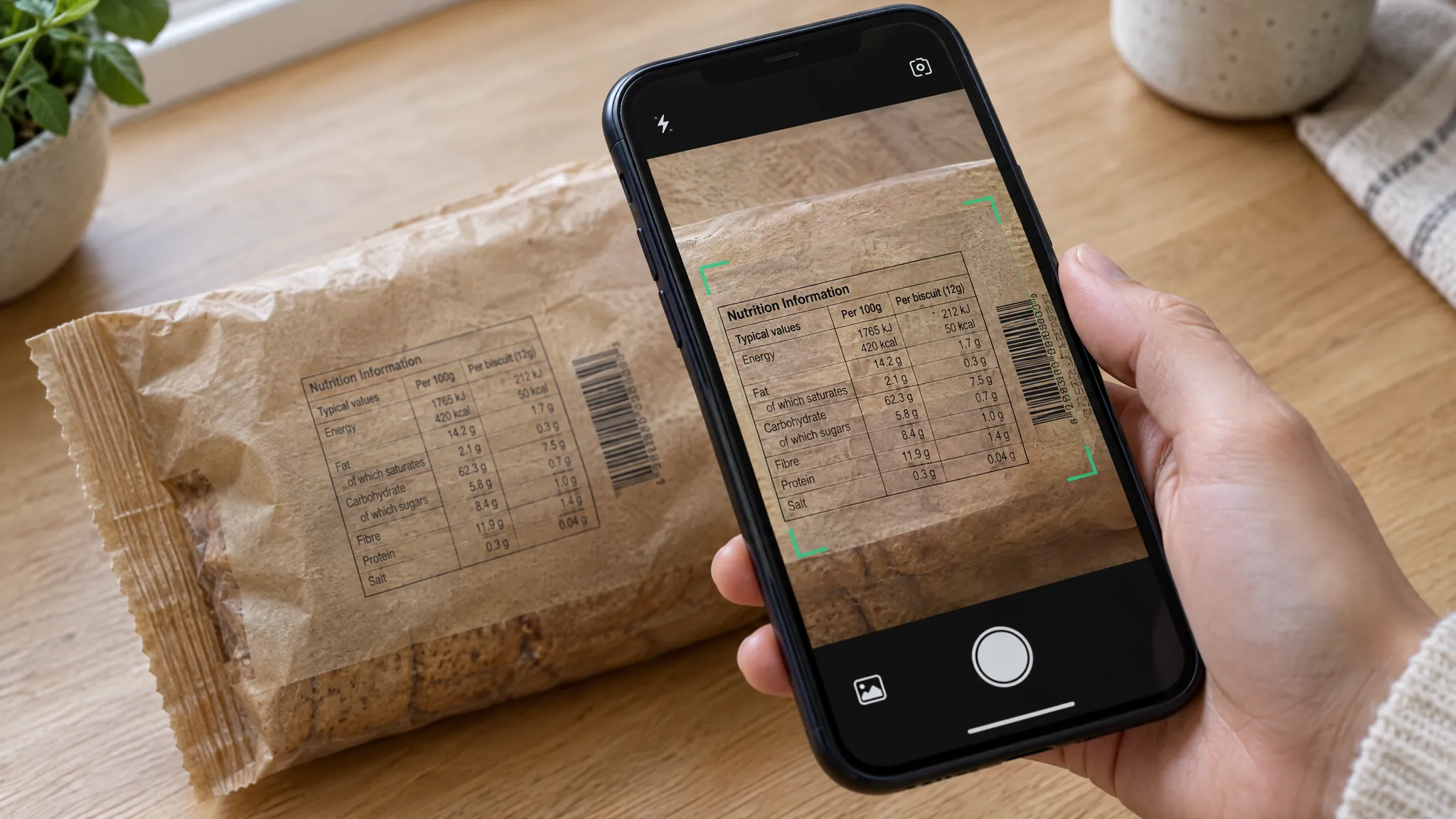
For anything in a packet, the printed nutrition label beats any estimate. Use it:
- Barcode: in the Vitality app on iPhone or Android, scan the barcode and Vitality looks up the product. If it can't find the product, it tells you, and on the free plan that scan isn't counted.
- Nutrition label: when you create a meal in My Saved Meals, you can add ingredients or scan a label. Vitality reads the values off the label and does the per-serving maths itself. Check that the serving weight it read matches the pack, since that's the number most worth a second look.
Photo, barcode and label scans together are 2 a month on the free plan and up to 50 a day on Plus.
Fixing an estimate after it's logged
Mistakes happen, and fixing them takes seconds:
- Wrong amount: tap the food in the day's log and choose Edit to change how much you had. Calories and macros scale with it.
- Wrong food: delete the entry (you can undo it) and log the meal again by typing it, with the details: "paneer bhurji, 150 g, cooked in 1 tbsp butter".
- Logged under the wrong meal: choose Move to put it under another one, such as lunch or an evening snack.
- With Plus, ask the AI Coach. The Coach can't change an entry that's already logged, but you can tell it what you actually ate in plain words, such as "log a bowl of dal makhani made with 1 tbsp butter", and it logs the meal for you. It logs straight away, so delete the old entry first. You can also ask it things like "how much protein have I had today?", and it answers from your log.
When accuracy matters, and when it doesn't
For most goals, such as losing a few kilos, eating more protein or eating more regularly, consistency matters more than precision. Log most meals the same way, then compare your logged average with what your weight does over two to three weeks. If you're eating "1,800 calories" and not losing weight, your real intake is probably higher than your log says, and the trend tells you that even when single meals don't.
Precise numbers matter more if you:
- Manage a medical condition through diet, such as diabetes or kidney disease
- Are cutting weight for a sport with weigh-ins
- Have been told by a doctor or dietitian to hit specific targets
In those cases, weigh your food, use labels for anything packaged, and follow professional advice. Vitality's figures are general wellness information, not medical advice: see the medical disclaimer.
Frequently asked questions
Are calorie counting apps accurate? For packaged food logged from the label or barcode, they're as accurate as the label. For home-cooked and restaurant meals, every app is estimating, whether from a photo, a description or a database entry, and a single meal can be 20 to 35% off. Over weeks, consistent logging is accurate enough to steer by.
Is a photo or a typed description more accurate? It depends on what you know. A description that includes the portion and the cooking fat gives the AI facts a photo can't. A photo helps when you don't know the dish's name or the portion. The best of both is a photo with a short note.
Does Vitality save my meal photos? No. A photo you scan to log a meal is sent for AI analysis, and only the foods it finds are logged to your account.
How many photo scans do I get? Photo, barcode and label scans are 2 a month in total on the free plan and up to 50 a day on Plus. Typing and voice logging are free on every plan.
Why did the same photo give slightly different numbers twice? AI estimates vary a little from one run to the next, the way two people looking at the same plate would give slightly different guesses. It's one more reason to check the grams before you save.
Keep reading
- AI calorie counter: logging by typing, voice, photo, barcode and label in Vitality.
- How to count calories in Indian food: portions, oil and ghee in Indian meals.
- Food and nutrition basics: macros, portions and how to build a balanced plate.
- Introducing Vitality: what the app does and who it's for.
Sources
All checked on 9 October 2026.
- Fridolfsson J, Sjöberg E, Thiwång M, Pettersson S. Performance Evaluation of 3 Large Language Models for Nutritional Content Estimation from Food Images. Current Developments in Nutrition, 2025;9(10):107556.
- Block JP, Condon SK, Kleinman K, et al. Consumers' estimation of calorie content at fast food restaurants: cross sectional observational study. BMJ, 2013;346:f2907.